For freight and logistics
One load is never one email. It is nine.
The quote, the cover, the rate confirmation, the dispatch note, the check call, the delay, the reschedule, the POD chase and finally the invoice. Multiply that by forty loads a week and the maths stops being funny. ReciteMail drafts each one in your own voice from a single line of instruction. It never connects to your email and nothing sends without you.
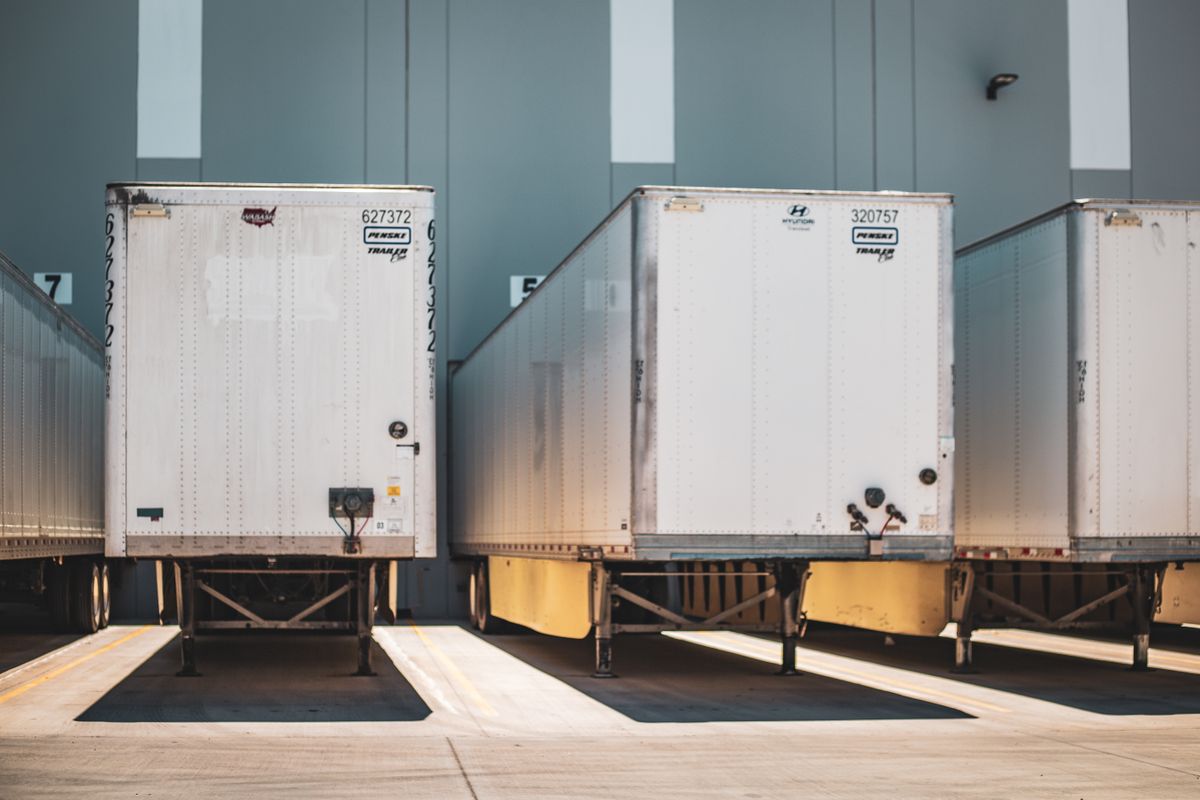
The daily reality
The messages a desk sends all day
None of them are difficult to write. They are difficult to write forty times before lunch while the phone is going and a driver is sitting at a gate.
The check call update
Loaded, rolling, ETA Thursday at two. The shipper wants it before they have to ask, because the moment they ask you have already lost a little trust. Say one line about where the truck is and the update goes out clear and specific, with the next checkpoint stated so the thread ends instead of starting another one.
The POD chase
Freight moves in hours. The cash takes weeks and it does not move at all until the paperwork lands. Chasing a carrier for a proof of delivery is a billing job wearing an admin costume. ReciteMail keeps the third chase polite and firm, names the load and the date and makes the ask impossible to misread.
The detention claim
Detention is won on timestamps rather than tone. Gate in, gate out, the driver's own record. Give it the times and the claim goes out organised and unemotional, which is exactly the register that gets paid. The same works in reverse when a carrier bills you for detention that the numbers do not support.
Why the design matters here
Why a broker should not hand over mailbox access
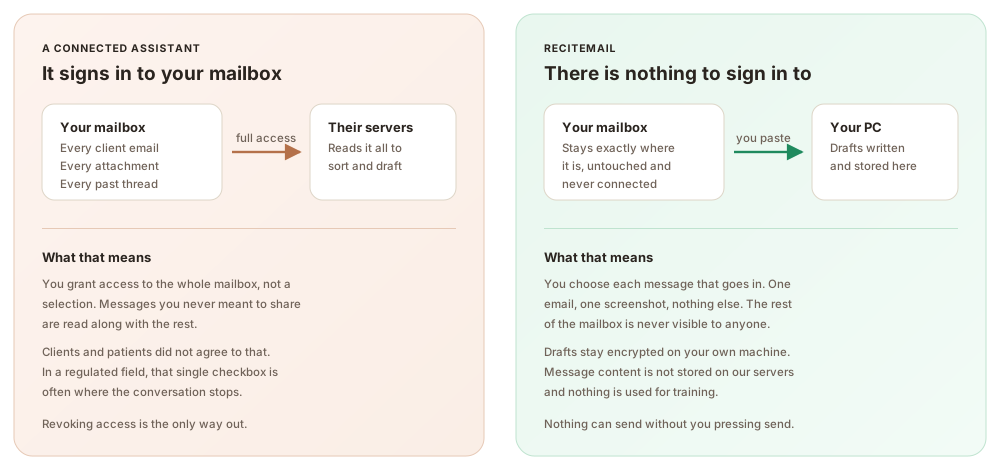
Your mailbox is the business. The customer list is in there. So are the rate sheets, the margins on every lane and years of carrier relationships. An assistant that connects to your email reads all of it to write one reply. ReciteMail is import-only: you bring in a single message and the rest stays where it is. There is no account to link, no permission to grant and nothing sitting on a server waiting to be breached.
The phone is already ringing. The floating quick bar snips a message off the screen and takes your answer by voice. Say tell them the driver is two hours out and apologise for the gate delay, then read the finished draft. It works the same at six in the morning as it does at six in the evening.
The same three steps every time
From their email to your reply in under a minute
1. Bring in one message
Snip the shipper or carrier message off the screen or paste it in. That single message is the only thing the system ever sees, never the mailbox around it.
2. Read the draft
It comes back in your voice, learned from emails you chose to import, with your sign-off attached and the load numbers exactly as you dictated them.
3. Send it yourself
Copy into your own email client and press send. Nothing can send on its own, because nothing is connected to anything.
Questions
Common questions
Does ReciteMail connect to my TMS or my email?
Neither. There is no integration to set up and no sign-in to Outlook or Gmail. You paste a message in or snip it off the screen, one at a time. Your TMS, your load board and the rest of your mailbox stay completely outside the tool by design.
Can it handle load numbers and reference numbers without mangling them?
Yes, because you supply them. Numbers you dictate or paste come through exactly as you gave them. Read the draft before you send it, the same as you would a reply you typed yourself. Nothing goes anywhere until you send it.
Will the drafts sound like a broker or like a support script?
Like you. During setup you import emails you have already sent and it learns how you open, how you deliver a delay and how you sign off. Shippers can tell the difference between a person who knows the lane and a template. The drafts keep you on the right side of that line.
Is it any use for detention and accessorial disputes?
That is one of the places it earns its keep. Give it the gate times and what happened and it writes the claim organised and unemotional, which is the register that gets paid. It cannot supply evidence you do not have. Timestamps still win these arguments and the email is only the vehicle.
What happens to customer names, rates and margins?
They stay on your machine. Everything you import lives in an encrypted database on your own PC. When you draft a reply, only that one message plus your instruction travels over a secure connection. It is not stored on our servers and never used for training.
What does it cost?
29.99 euro a month or 299 euro a year, unlimited drafting under fair use. One account covers two computers. The desk machine and the laptop at home are both included. The trial is 7 days with no card needed.
Try it on this week's check calls
Import a handful of sent emails so it learns how you write, then run a week of updates, chases and claims through it. Free for 7 days, no credit card and nothing to connect.
Start your free trial€29.99 a month or €299 a year after the free week. Windows 10 and 11. Reads and replies in 60+ languages.